
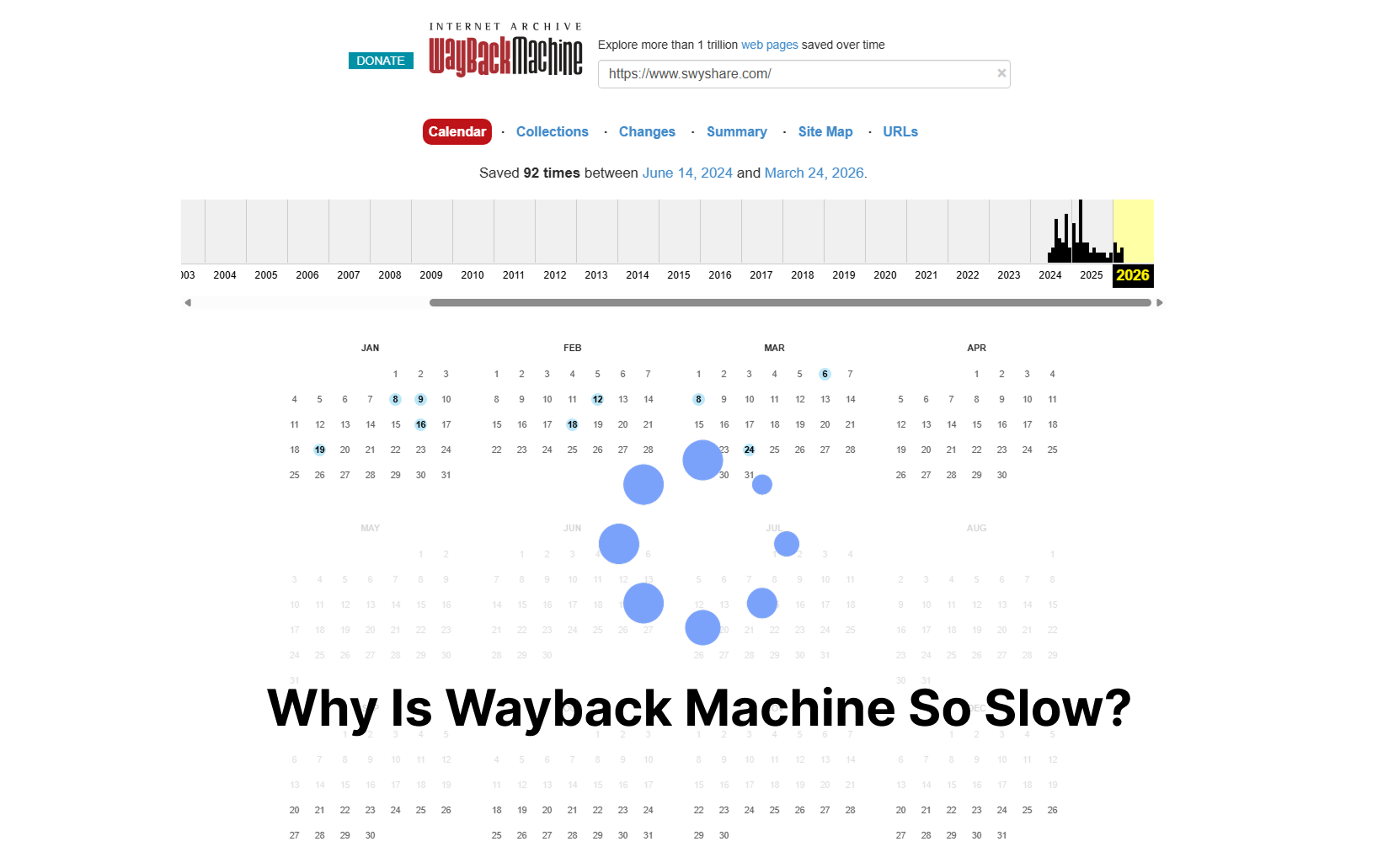
인터넷은 끊임없이 변화합니다. 웹사이트는 콘텐츠를 업데이트하고, 페이지를 삭제하고, 레이아웃을 변경하거나, 아예 사라지기도 합니다. 온라인 정보를 보존하기 위해 많은 사람들이 웹 아카이빙 도구를 사용하는데, 그중 가장 인기 있는 것이 인터넷 아카이브의 웨이백 머신입니다. 웨이백 머신을 통해 사용자는 웹사이트의 과거 버전을 보고 시간 경과에 따라 저장된 스냅샷에 접근할 수 있습니다.
웨이백 머신은 매우 유용하지만, 많은 사용자가 불편해하는 한 가지 문제가 있습니다. 바로 느린 로딩 속도입니다. 웹페이지를 저장하거나, 보관된 콘텐츠를 탐색하거나, 사이트의 이전 버전을 복구하려고 할 때 플랫폼이 때때로 느리거나, 반응이 없거나, 심지어 접속이 불가능한 경우가 있습니다.
이 글에서는 웨이백 머신의 성능 저하를 야기하는 일반적인 원인을 살펴보고 웹페이지를 오프라인에 저장하는 더 빠른 대안을 소개합니다.
1. 웨이백 머신이 왜 이렇게 느린가요?
1.1 방대한 양의 보관 데이터
웨이백 머신이 느리게 느껴지는 가장 큰 이유 중 하나는 방대한 아카이브 규모 때문입니다. 이 플랫폼에는 수십 년에 걸쳐 수집된 수십억 개의 웹페이지가 저장되어 있습니다. 아카이브된 모든 스냅샷에는 HTML 파일, 이미지, 스크립트, 스타일시트 및 기타 웹 자산이 포함됩니다.
보관된 페이지를 요청하면 시스템은 스냅샷을 찾고, 여러 파일을 검색하고, 저장된 리소스를 사용하여 웹페이지를 재구성해야 합니다. 이 과정은 최신 콘텐츠 전송 네트워크에서 일반 웹페이지를 로드하는 것보다 훨씬 더 많은 시간이 소요됩니다.
보관된 사이트의 규모가 크고 복잡할수록 로딩 속도가 느려질 수 있습니다.
1.2 서버 트래픽 과다
웨이백 머신은 전 세계 연구원, 언론인, 학생, 기업 및 일반 인터넷 사용자가 이용하고 있습니다. 트래픽이 많은 시간대에는 서버에 요청이 폭주하여 과부하가 걸릴 수 있습니다.
이는 종종 다음과 같은 결과를 초래합니다.
- 페이지 로딩 속도가 느립니다.
- 지연된 스냅샷 처리
- 일시적인 타임아웃
- 저장 실패
- 보관된 페이지가 나타나기까지 오랜 시간이 걸립니다.
해당 서비스는 무료이며 누구나 이용할 수 있으므로 수요가 많을 경우 성능에 쉽게 영향을 미칠 수 있습니다.
1.3 동적 웹사이트는 아카이빙이 더 어렵습니다
현대 웹사이트는 예전의 정적인 페이지보다 훨씬 더 복잡합니다. 오늘날 많은 사이트들이 자바스크립트 프레임워크, 지연 로딩, 무한 스크롤, 임베디드 비디오, 그리고 인터랙티브 요소들을 사용하고 있습니다.
Wayback Machine은 때때로 이러한 동적 구성 요소를 제대로 캡처하고 재생하는 데 어려움을 겪습니다. 재생 중에 이러한 페이지를 재구성하려고 시도할 때, 보관된 버전이 느리게 로드되거나 잘못 표시될 수 있습니다.
어려운 콘텐츠의 예는 다음과 같습니다.
- 소셜 미디어 피드
- 대화형 대시보드
- 스트리밍 콘텐츠
- 무한 스크롤 웹페이지
- 로그인으로 보호되는 페이지
- 스크립트가 많이 포함된 웹사이트
웹사이트가 더욱 발전함에 따라 웹 아카이빙은 더욱 많은 리소스를 필요로 하게 됩니다.
1.4 보관된 자료가 누락되었을 수 있습니다.
때때로 보관된 페이지가 느리게 로드되는 이유는 원래 저장 과정에서 특정 웹페이지 요소가 제대로 캡처되지 않았기 때문입니다. CSS, 이미지, 스크립트 또는 글꼴이 누락되면 페이지 로딩이 반복되거나 렌더링이 제대로 되지 않을 수 있습니다.
이러한 상황이 발생하면 Wayback Machine이 더 이상 사용할 수 없는 리소스를 계속해서 검색하려고 시도할 수 있으며, 이로 인해 페이지 로딩 속도가 더욱 느려집니다.
이 문제는 특히 다음과 같은 경우에 흔히 발생합니다.
- CDN에 호스팅된 자산
- 타사 스크립트
- 광고
- 외부 글꼴
- 임베디드 미디어
1.5 실시간 캡처 속도 제한
많은 사용자는 웹페이지를 즉시 저장할 수 있기를 기대하지만, 웨이백 머신은 빠른 실시간 캡처 도구라기보다는 주로 역사적 기록 보관소로 설계되었습니다.
새 페이지를 저장할 때 시스템에서 다음과 같은 작업에 시간이 걸릴 수 있습니다.
- 웹페이지를 크롤링하세요
- 자산 확보
- 프로세스 스크립트
- 파일을 아카이브에 저장하세요
- 접근 가능한 스냅샷 생성
웹페이지 규모가 큰 경우, 이 과정은 몇 분 이상 소요될 수 있습니다.
1.6 글로벌 접근성 과제
일부 지역의 사용자는 아카이브 콘텐츠가 최적화된 글로벌 CDN 인프라를 통해 제공되지 않는 경우가 있어 속도 저하를 경험할 수 있습니다. 아카이브 서버와의 거리가 멀어질수록 지연 시간이 증가하고 로딩 성능이 저하될 수 있습니다.
이는 특히 다음과 같은 경우에 두드러지게 나타납니다.
- 이미지가 많은 페이지에 접근하기
- 대용량 아카이브 웹사이트 로딩 중
- 미디어 콘텐츠 저장
- 수요가 많은 시간대의 브라우징
1.7 오프라인 개인 아카이빙용으로 설계되지 않았습니다.
웨이백 머신은 공공의 역사적 자료 보존에는 탁월하지만, 개인 웹페이지를 빠르게 보관하고 오프라인에서 접근하려는 사용자에게는 항상 이상적인 것은 아닙니다.
오늘날 많은 사용자들이 원하는 것은 다음과 같습니다.
- 웹페이지를 즉시 저장하세요
- 고화질 아카이브 페이지
- 동적 콘텐츠 캡처
- 저장된 페이지를 로컬에 정리합니다.
- 보관된 페이지는 언제든지 오프라인에서 이용할 수 있습니다.
웨이백 머신은 개인 생산성 및 속도 최적화보다는 공공 인터넷 보존에 더 중점을 둡니다.
2. 웨이백 머신의 최적의 대안을 사용해 보세요. Swyshare 아카이브킷
느린 페이지 로딩 속도와 불안정한 웹페이지 캡처 때문에 불편함을 느끼신다면, Swyshare 아카이브킷 웹페이지 아카이빙을 위한 더 빠르고 사용자 친화적인 솔루션을 제공합니다.
아카이브킷 이 프로그램은 웹페이지를 빠르게 저장하고, 레이아웃을 정확하게 유지하며, 지연 없이 오프라인에서 콘텐츠에 액세스하려는 사용자를 위해 특별히 설계되었습니다.
ArchiveKit이 Wayback Machine보다 나은 이유 :
- 여러 URL을 한 번에 일괄 아카이브합니다.
- 웹페이지 캡처 및 로딩 속도 향상
- 동적이고 최신 웹사이트에 대한 지원 강화
- 상호작용형 웹페이지를 위한 라이브 브라우저 모드
- 보관된 페이지의 구성 및 관리가 더 쉬워집니다.
- 보관된 페이지를 찾을 수 있는 강력한 검색 기능
ArchiveKit을 사용하여 페이지를 일괄적으로 보관하는 방법:
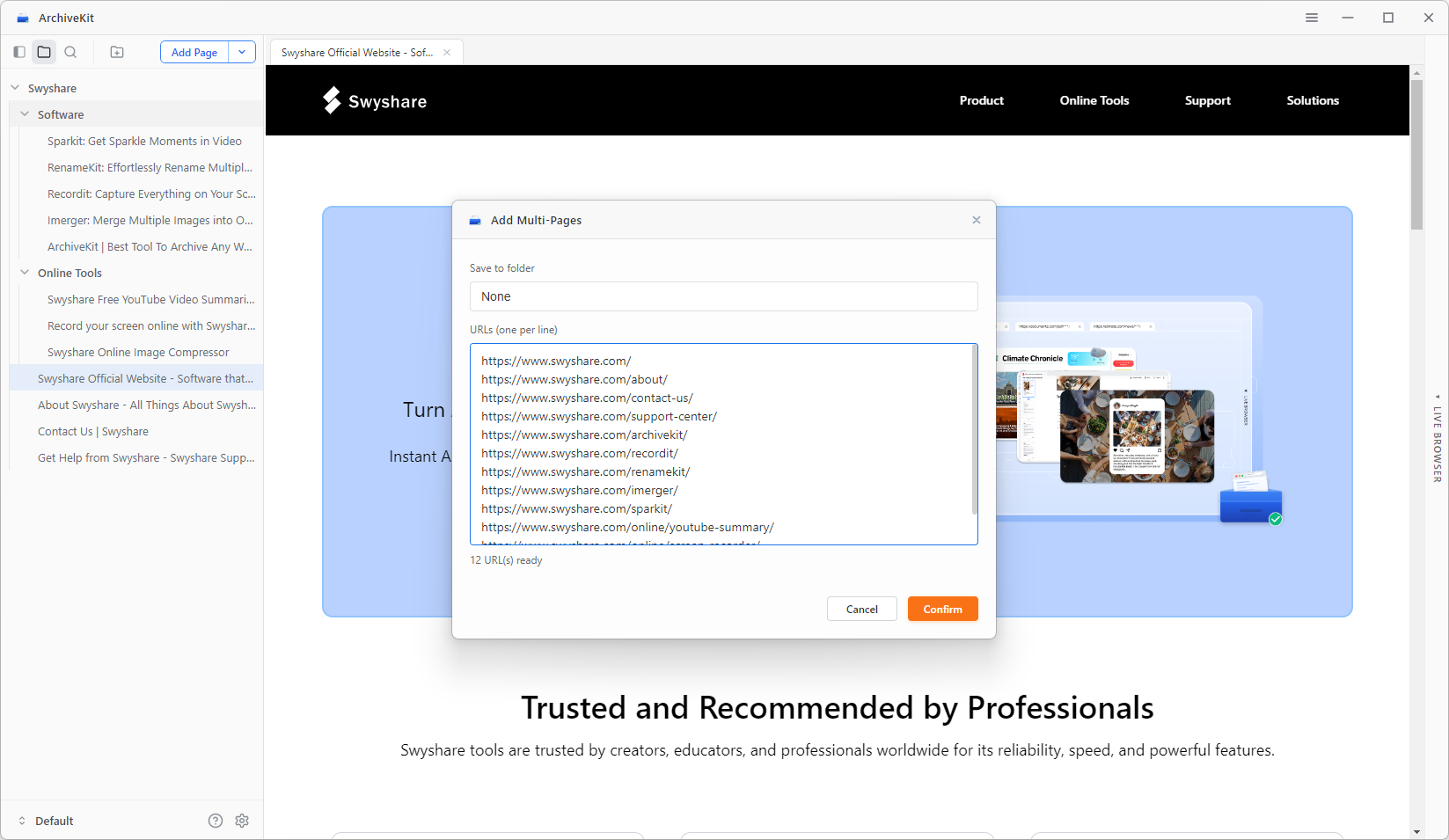
- Windows 또는 Mac 버전을 다운로드하여 설치하세요. Swyshare ArchiveKit을 다운로드한 다음 기기에서 소프트웨어를 실행하세요.
- ArchiveKit에 여러 웹페이지 URL을 복사하여 붙여넣은 다음, 소프트웨어가 모든 웹페이지를 처리하고 저장할 때까지 기다리세요.
- 동적 또는 대화형 웹페이지를 저장할 때 정확한 페이지 캡처를 위해 라이브 브라우저 모드를 켜십시오.
- 필요할 때 언제든 오프라인에서 보관된 웹페이지를 간편하게 정리하고 검색하고 액세스할 수 있습니다.
3. 결론
웨이백 머신은 지금까지 만들어진 가장 중요한 웹 아카이빙 서비스 중 하나로 남아 있지만, 빠른 속도와 안정적인 웹페이지 저장을 필요로 하는 사용자들은 느린 성능 때문에 불편함을 느낍니다. 방대한 아카이브 크기, 높은 트래픽, 역동적인 웹사이트의 복잡성, 그리고 제한적인 오프라인 기능 등이 모두 이러한 문제에 기여합니다.
웹페이지를 더 빠르고 효율적으로 보관하고 싶은 사용자를 위해, Swyshare ArchiveKit은 훌륭한 대안입니다. 웹페이지 즉시 캡처, 동적 콘텐츠 지원, 오프라인 보기 및 일괄 아카이빙 기능을 갖춘 ArchiveKit은 기존 웹 아카이브에서 흔히 발생하는 지연 없이 온라인 콘텐츠를 보존할 수 있는 현대적인 솔루션을 제공합니다.
연구 자료를 저장하고 싶거나, 소중한 온라인 자료를 보존하고 싶거나, 자신만의 오프라인 웹페이지 모음을 만들고 싶든, 아카이브킷 더욱 원활하고 안정적인 아카이빙 환경을 제공합니다.